Fold gives your Mac one calm hub for the extras that crowd the top edge — while the controls you reach for stay exactly where your muscle memory expects them.
less visual noise✦more useful space✦every control stays yours✦less visual noise✦more useful space✦every control stays yours✦
the useful kind of invisible
Fold is not another dashboard. It is breathing room.
Keep the menu bar you already know. Fold adds one deliberate layer: a place for the things you need sometimes, without making the things you need now harder to reach.
01space reclaimed
Hide the noise. Keep the action.
Select one item or a few. Fold moves only what you asked it to move, then verifies the physical menu bar before it calls the job done.
native macOS menu barcrowded / before Fold
FinderFileViewGoWindow
◒Sensei⌁Raycast◌VPN⌁Wi-Fi▣Battery
Foldready when you are
◒ Sensei⌁ Raycast◌ VPN
extras move into Fold↘
desktop / the top edge
02nothing fake
↗
Native controls. Honest state.
Fold works with macOS Accessibility and the original app menus. No cursor choreography. No pixel relay. No “success” until macOS agrees.
Fold meets you where you are: quiet when you want less, searchable when you are moving fast, deep when your Mac needs a read.
quiet by default
The essentials stay out. Everything else folds away.
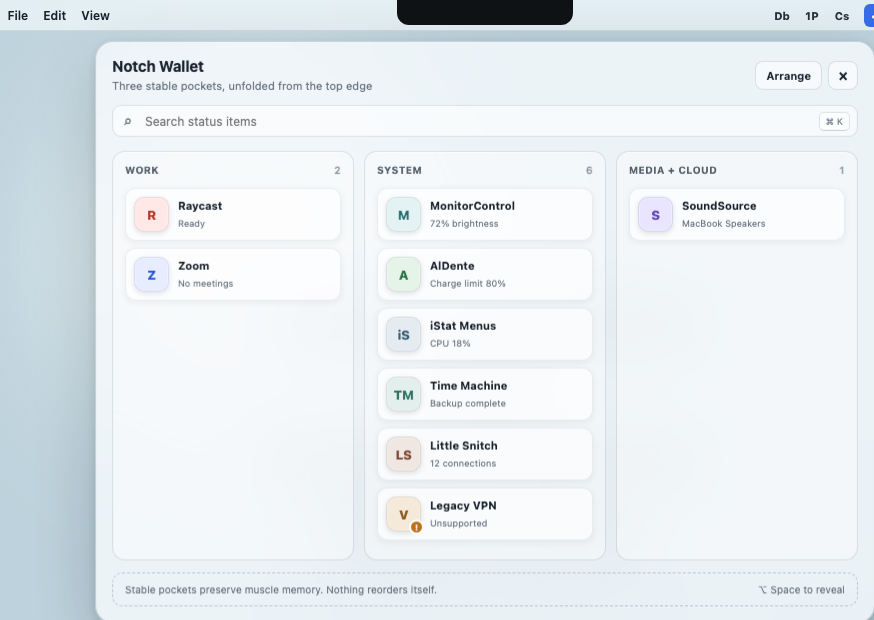
Search status items instantly, filter by Apps or System, and keep the originals intact. Fold remembers your placement without making you manage a second world.
Two-state inventory: Menu Bar + Fold
Attention badges, app icons, two-line names
Launch at login, with direct macOS settings access
Command Deck turns a crowded menu bar into a keyboard-friendly index. Choose an item, change its destination, or open its original menu — without hunting by eye.
⌘K search with All / Apps / System filters
Direct Move to Fold / Move to Menu Bar actions
Multi-select and drag/drop use the same transaction
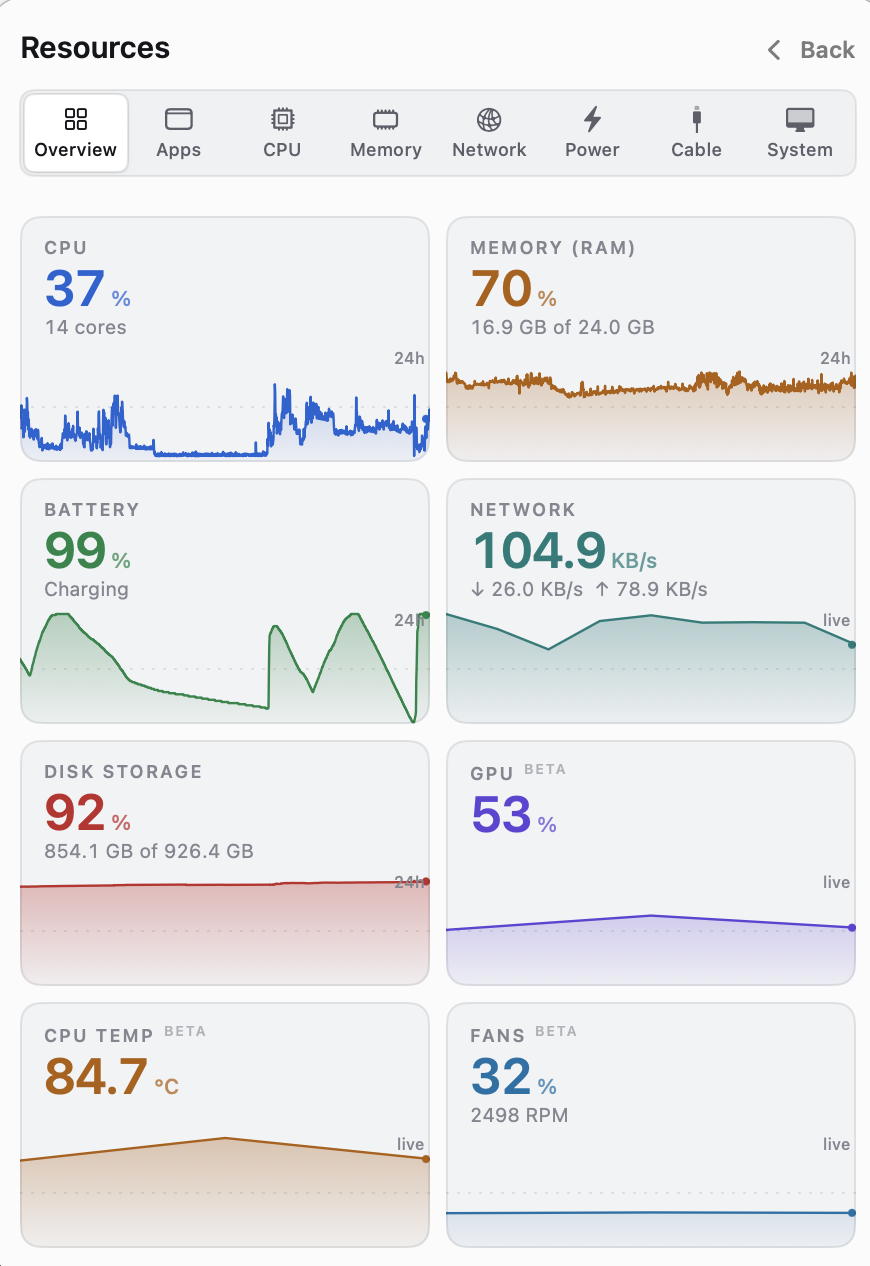
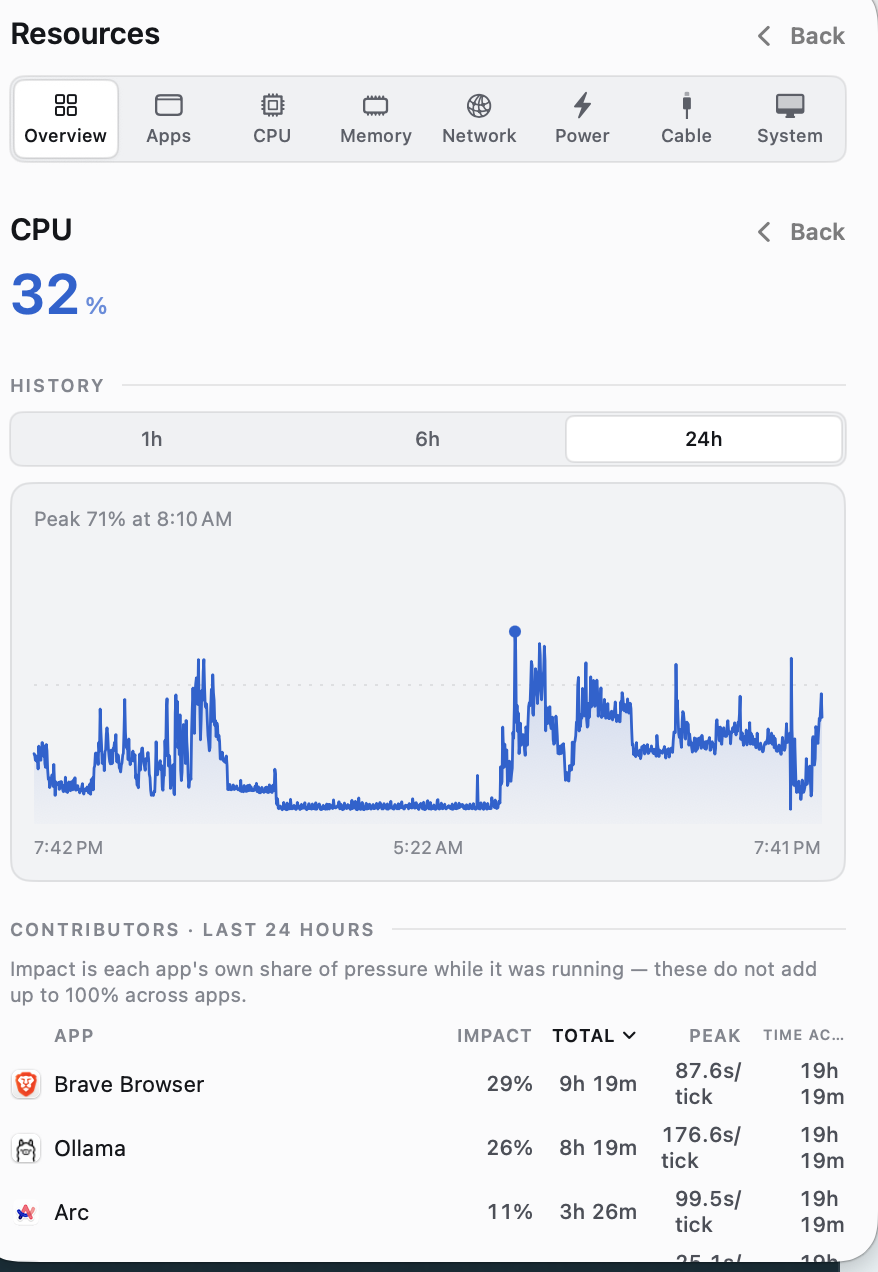
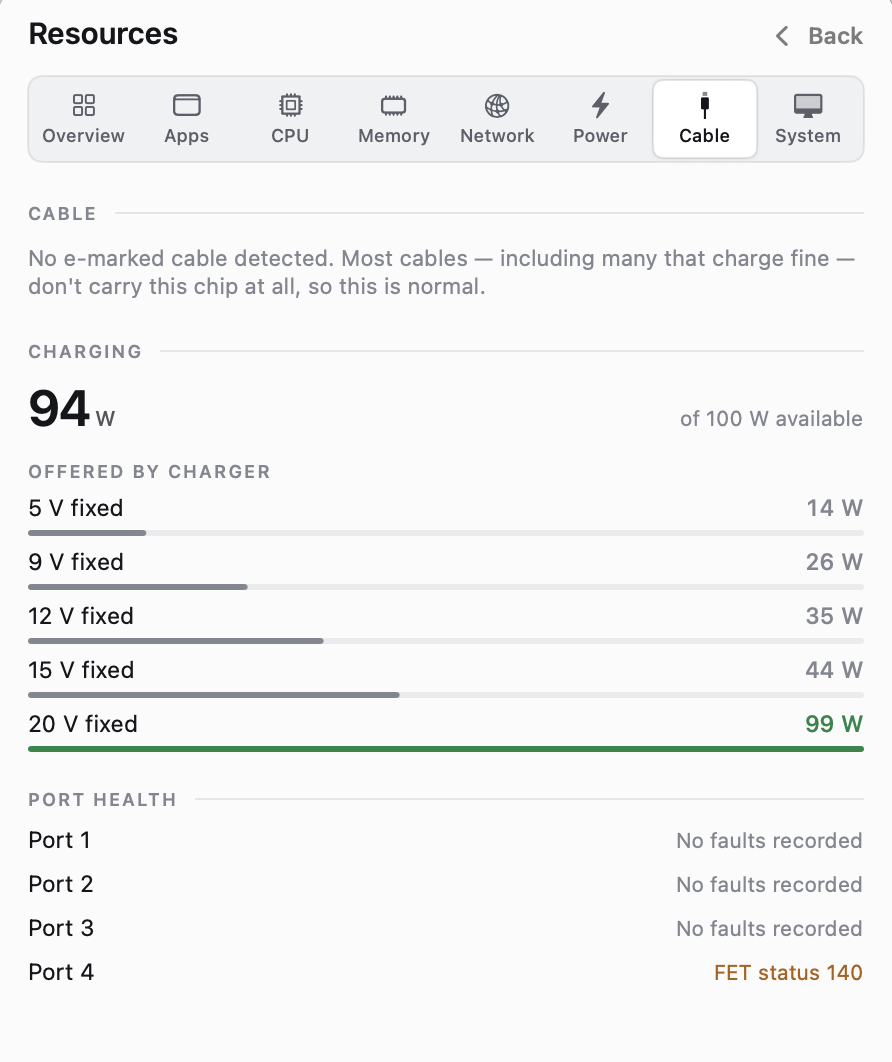
Resources turns your Mac's invisible state into a local, readable timeline — from live CPU and memory to exactly how much power your cable is delivering.
Live CPU, memory, network, power, disk, GPU, temperature, and fan views
1h / 6h / 24h history with peaks and per-app contributors
USB-C delivered watts, charger offers, port health, and e-marker detail
Fold is intentionally small. It uses the system surfaces macOS already trusts, keeps the hard parts internal, and tells you when the platform will not let it do something honestly.
✦ Founding launch price: $29 for one Mac or $49 for three. v1 updates included; pricing may rise as Fold grows. Read the details.
questions worth answering
Good tools tell you where they stop.
Fold is deliberately candid about macOS, permissions, and what “native” can mean on a platform with a few locked doors.
What does Fold need from macOS?+
Fold uses Accessibility to observe and place status items, then lets you grant access through the standard macOS settings flow. It never uses cursor movement, Screen Recording, continuous capture, or pixel relays.
Does Fold send anything to the network?+
No, not by default. Resources stays local. Public IP and Bluetooth device reads are explicit, gated actions — off until you ask for them.
Will every menu-bar app work inside Fold?+
Fold supports semantic Accessibility menus and actionable status items. Owner-drawn custom popovers with no semantic tree cannot be generically reconstructed; Fold reports that boundary instead of pretending.
Why one-time pricing?+
Fold is a small native utility with no account system or recurring cloud cost. Founding launch pricing is $29 for one Mac or $49 for up to three; future major versions can earn a separate purchase if they add enough value.
foldmenu.com
Make space for the work you meant to do.
One hub. A calmer top edge. Everything you still need, still yours.